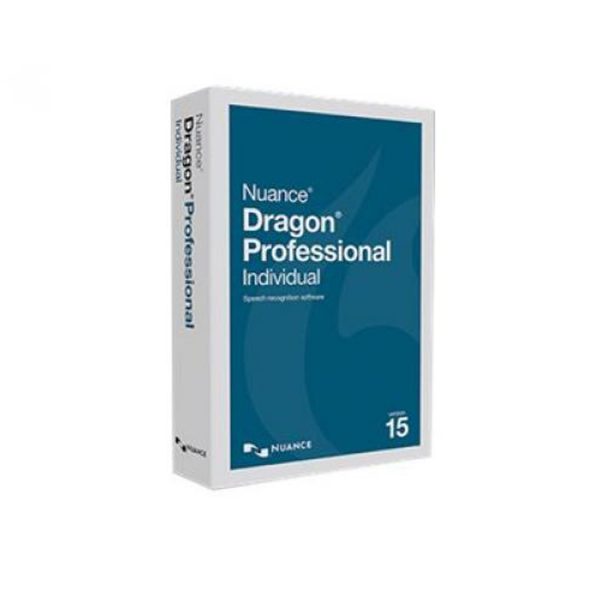

Dragon Professional 16
$64.78
$93.29
Premier speech-recognition for Windows 11 and 10Put your voice to work to create documents, e‑mails, forms and more with the all-new Dragon Professional 16. With a next-generation speech engine leveraging Deep Learning technology, you can now dictate and transcribe faster and more accurately than ever before.New in Version 16Compatibility with Windows 11 and Microsoft Office 21 One of the most significant improvements in Dragon Professional 16 is full compatibility with the latest Windows 11 operating system and Microsoft Office 21. This means you can use Dragon to dictate directly into Word, Excel, PowerPoint, and other Office applications with ease, and take advantage of all the latest features offered by these programs. Multiple Screen MouseGrid Support If you’re a power user with multiple screens, Dragon Professional 16 has you covered. The software supports up to three monitors and provides MouseGrid support on each screen, so you can navigate and dictate even more efficiently. Faster and more accurate than ever. Dragon Professional 16 expands the possibilities of speech recognition innovation with a next-generation speech engine representing the culmination of 25-years of tireless progress and technology advancements. Corel WordPerfect Office 21, Apache OpenOffice, and LibreOffice Compatibility In addition to Microsoft Office 21, Dragon Professional v16 also offers compatibility with other popular office suites, such as Corel WordPerfect Office 21, Apache OpenOffice, and LibreOffice. This means you can use Dragon to create documents, spreadsheets, and presentations in your preferred software, without having to switch to another program. New Microsoft Teams Support With the new Microsoft Teams command support, you can use Dragon to easily control this popular communication platform and stay productive while collaborating with colleagues. Improved High Resolution Monitor Support If you use a high-resolution monitor, you’ll appreciate the improved support provided by Dragon Professional 16. The software now scales appropriately on these displays, so you can see your dictation and commands more clearly and avoid eye strain.Dragon eliminates barriers to productivity and creativity by letting you interact with your computer by voice. It turns your spoken thoughts into text and your voice commands into action so you don’t have to worry about the mechanics of typing and spelling. Make edits and apply formatting using your voice to make easy work of document creation. Think out loud to capture ideas up to 3x faster than typing Edit and format text much faster than using a keyboard and mouse Automatically format text to appear the way you want it to – every time Fast and AccurateWith a next-generation speech engine leveraging Deep Learning technology, Dragon adapts to your voice or environmental variations. Create documents quickly and accurately, and zip through computer tasks in record time – all by voice.Dragon learns the words and phrases you use the most to minimize corrections Optimizes accuracy for speakers with accents or in slightly noisy environments Smart Format Rules automatically adapt to how you want abbreviations, dates, phone numbers and more to appear Apply formatting by voice, such as bold or underlineSpeed through Documentation Fast dictation and high recognition accuracy that continually improves as it adapts to your voice. Shortcut Repetitive Tasks Define simple voice commands to short-cut repetitive processes, speed up document creation, and boost your productivity. Boost Efficiency Add customized words for accurate recognition of the industry terms, acronyms or personal preferences you use very day. Advanced Commands Quickly and easily create or import powerful commands to automate time-consuming tasks associated with document creation and management. For example, you can send an email to your sales distribution list, copy senior management and print a hard copy for your files just by saying “Send standard sales distribution email.” Wow… five minutes of work done in five words. Customization Flexibility Customize words for the specific industry terms, acronyms, proper names, and unique terms you use every day. Easily import/export custom commands and custom word lists to speed up routine tasks and increase dictation accuracy. Powerful Transcription Accurately transcribe another single speaker’s voice from pre-recorded audio files or podcasts, requiring only a 90-second audio clip to create the necessary profile. Now it’s a breeze to create a written transcript of that keynote speech which impressed you so much. System RequirementsRAM Minimum: 4 GB Recommended: 8 GB CPU Intel 2.2GHz (Dual-Core or better) or equivalent AMD processor (Faster Processor yield faster performance.) Recommended: Intel Core i5 / AMD Ryzen 5 or better Storage Space 12GB Free Space Operating Systems Windows: 10 & 11 Windows Server: 2016, 2019 & 2022Browser Minimum: Current Version of Chrome, Edge or Firefox Recommended: Current Version of Chrome or Edge Sound Audio input device that supports 16-bit recording. (Note: Apple AirPods are not supported by Dragon) Recording Minimum: Built-in Microphone Recommended: A Nuance-approved microphone (External Microphone or Headset) (A noise-cancelling microphone is necessary for good results.) Internet All versions of Dragon are now supplied as downloads (ESD). Internet Connection required for product download and automatic product activation (quick anonymous process)SupportCheat Sheet Dragon Professional v16 Cheat Sheet (PDF) Open in new tab
Software